
















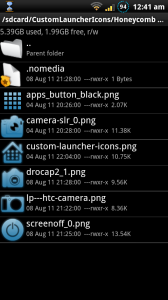
 Hey newbies, do you have a pictures or a videos you want to hide from the gallery? maybe a song or an audio file you don’t want to see in the media player? There is a solution for you:
1. Download the following zip file.
2. Open it, you’ll see a “. Nomedia” file.
3. Copy the above file to your SD card and paste it inside the folder that has the files you want to hide.
4. Restart your phone.
Notice that all the files inside that folder will be hidden, so if you want to hide just part of the files, you can create a new folder with only those files.
Hope this helps.