







Better Android Caller ID: Big Pictures of Contacts

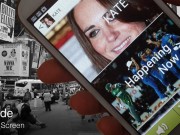
Do you want to enhance your caller ID screen? I don't like the native caller screen because it shows a very small picture of the calling contact. I also want to use buttons to answer the calls instead of slides. Well, I searched and found a nice app that not only puts a large pic of your contacts as the...
How to Organize your Apps in Folders / Labels

Hi newbies, I bet most of you have a lot of apps on your Android phones and I know it can be very annoying to search for an app through a large list of apps. Specially when you are in a rush and need to quickly launch an app. Solution: Apps Organizer! This simple and free app let you put a...
QR Codes – Guide for Android Newbies

Occasionally you will find here some barcodes like the one below. If you saw them already, but as an Android newbie you thought they belong to the supermarkets only ;) then this short guide is for you. The truth is, these are not exactly "barcodes" but QR codes (bi - dimensional barcode). While the simple barcodes (used on products in...
SyncMyPix – Sync Your Android Contacts With Their Facebook Pics

Edit: I found a very nice app that not only good for syncing your facebook pics but its also ads them as a big caller ID: Better Android Caller ID: Big Pictures of Contacts Hi Newbies, Everybody knows the problem of getting Facebook to sync properly with our contacts on Android, there are always contacts who do not get their Facebook picture or a Facebook pic...
Newbies Guide for Android Keyboards + Keyboards Reviews

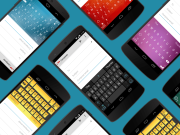
One of the best features on Android phones is the ability to choose the right keyboard for you from a large variety of keyboards available in the market. I will try to explain how to change keyboards and test them, than I'll add a list of available keyboards with explanations for each one of them so you can easily...
7 Google Music Beta Invitations for you Newbies

We all heard about Google's music service and personally I was very happy when they announced it. I was very excited when I got Invited and even more excited when I started to use it. The Music beta is perfect for me and it's the one thing I needed the most. I can upload up to 20,000 songs from my...
How to Hide Pictures and Sounds from the Photo Gallery / Media Player

Hey newbies, do you have a pictures or a videos you want to hide from the gallery? maybe a song or an audio file you don't want to see in the media player? There is a solution for you: 1. Download the following zip file. 2. Open it, you'll see a ". Nomedia" file. 3. Copy the above file to your SD...
The Complete Basic Guide for the Android Newbies

So you own a new Android, congratulations for the right choice. You heard about all those exciting things you can do with Android phones but it looks complicated? DON'T PANIC! No need a master's degree in computer science to enjoy your new device. Just a little understanding. I will try to help you with some basic terms and features, and...
How to Add Ringtones, Alarms and Notification Sounds to Your Android Phone
Hello newbies, here's a brief guide that explains how to insert each ringtone, or a media file, as a ringtone to your Android phone: Plug your phone's memory card in any way to your computer (connect your phone with a USB cable, memory cards reader, etc. ...), look for the folders: Mnt/Sdcard/Media/Audio/Alarms Mnt/Sdcard/Media/Audio/Notifications Mnt/Sdcard/Media/Audio/Ringtones * If there are no such folders you can create...